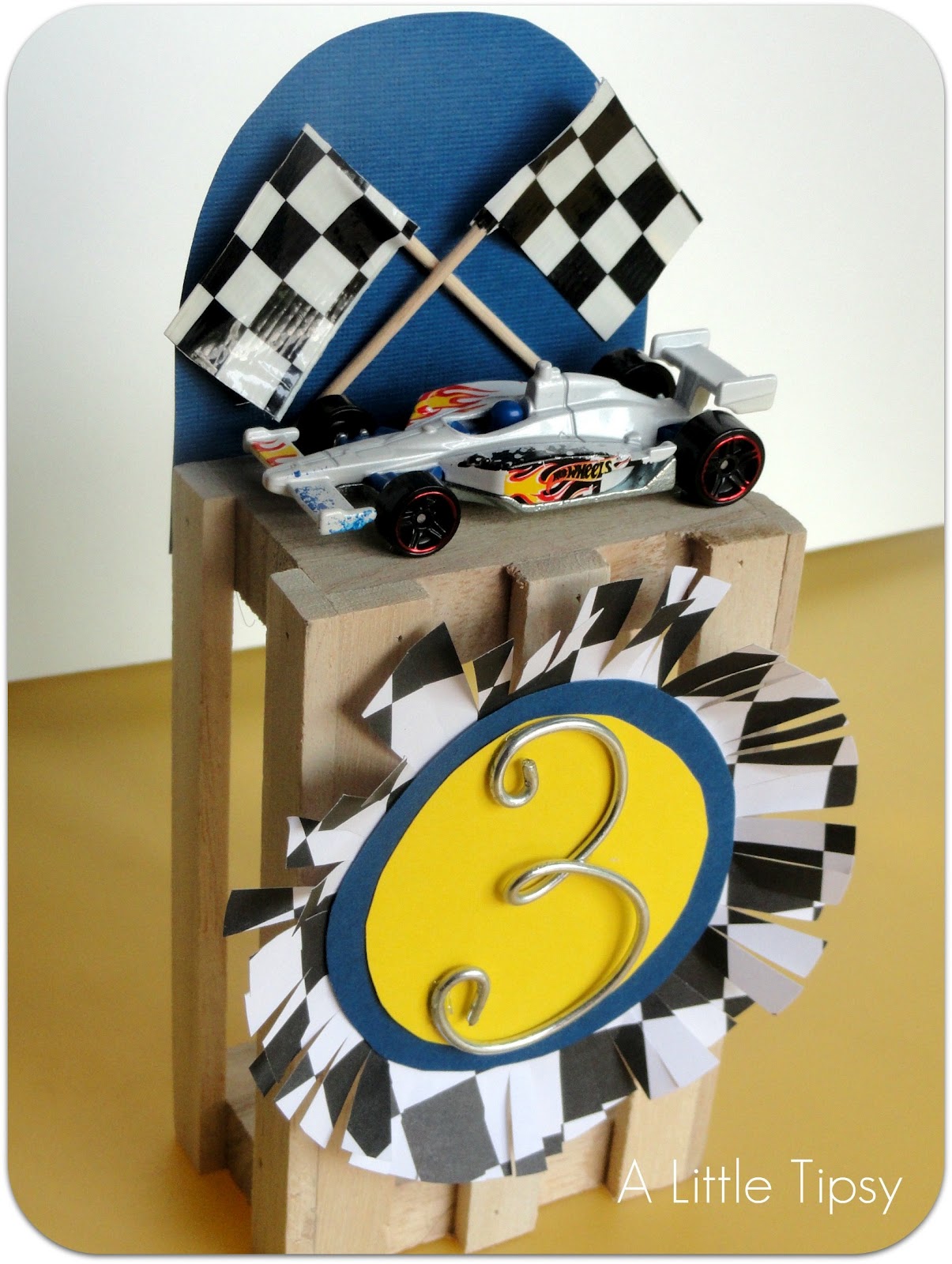
It’s derby time! We just had our Cub Scout Pine Wood Derby and as one of the leaders, I was asked to make the awards. I am still new to Cub Scouts, but here’s what I came up with.
Pine Car Scout Awards
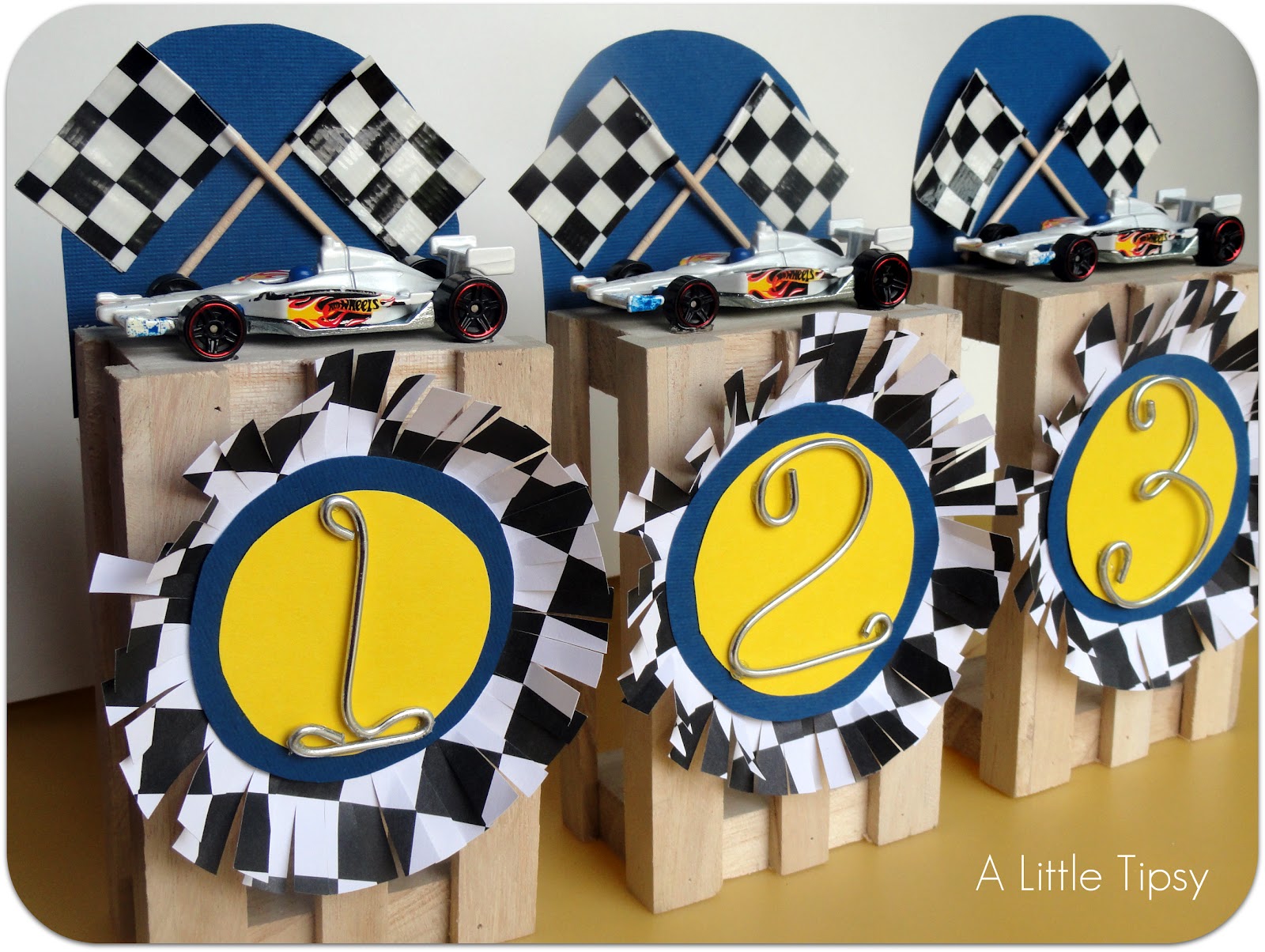
They turned out pretty cute and were quite simple to make!
Supplies:
Small Wooden Crate (Michael’s)
Sandpaper
Yellow Cardstock
Blue Cardstock
Checkered Paper
Double-sided Tape
14 Gauge Utility Wire (Lowe’s)
Pliers
Scissors
Toothpicks
Checkered Duck Tape
Elmer’s White Glue
Matchbox Cars
E-6000
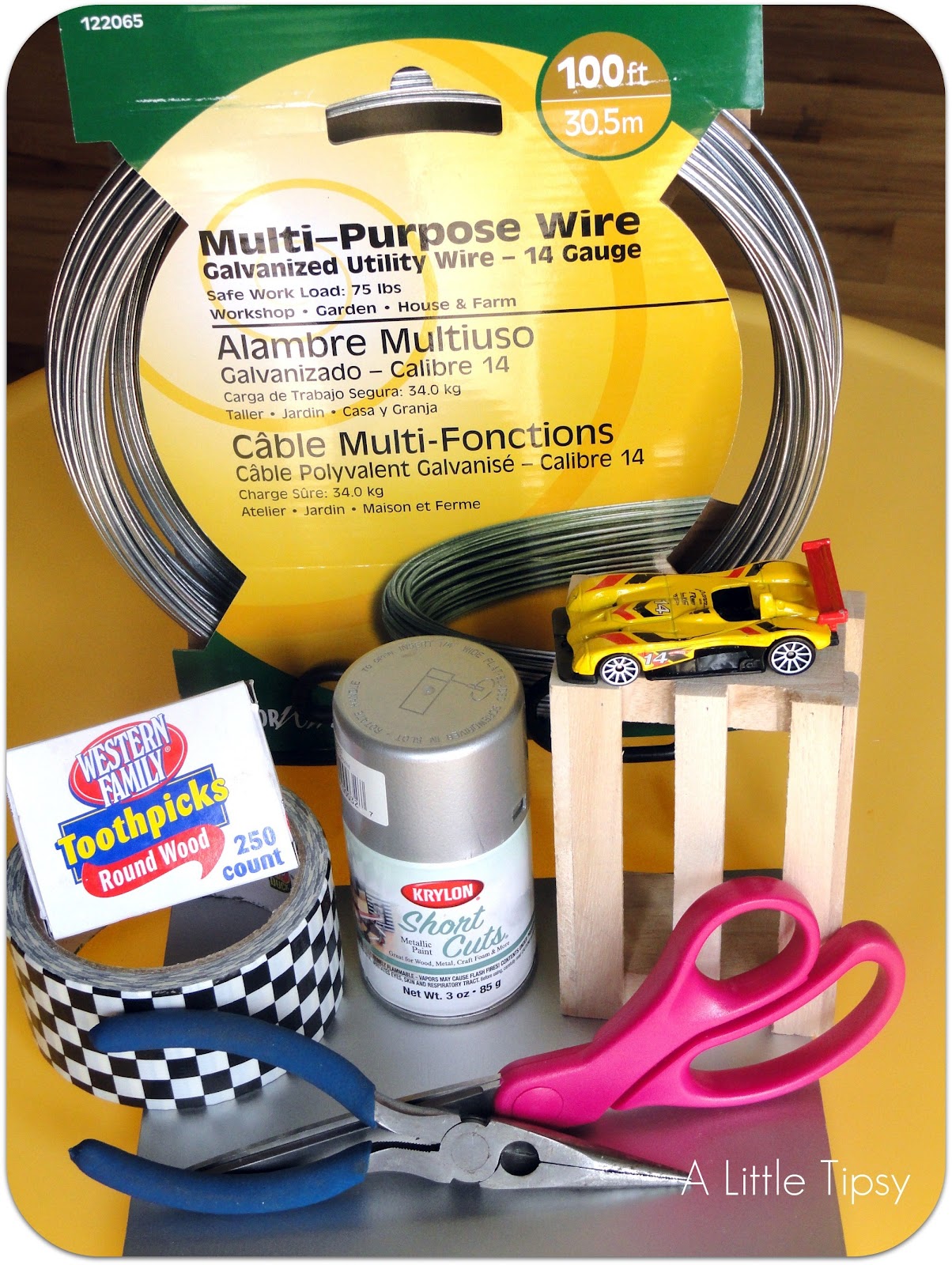
I was going to spray paint the cars silver, but the ones I got ended up matching really well.
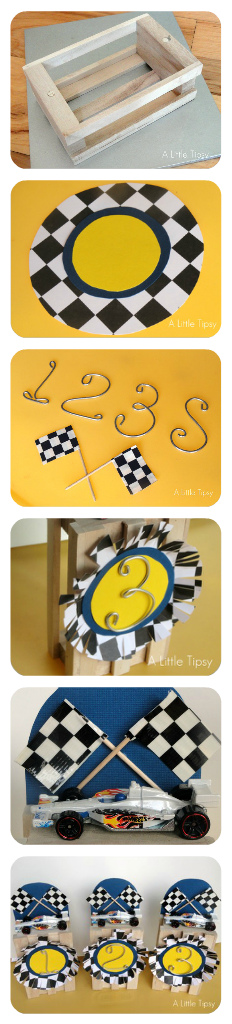
1. I got the “crates” which were more like little baskets with handles from Michael’s for $1 each. Break off the handles and sand flat. You can see the little circles where I broke the handles off.
2. Make a circle from the yellow cardstock and a slightly larger circle from the blue cardstock. Make an even larger circle from the checkered paper (it will be about 4 inches across). Tape them all together.
3. Cut 1/4-1/8 inch slits all around the checkered paper to fringe. Give it a more 3D look by bending the fringe toward the circles having some strips bending ore than others.
4. Use your pliers and fingers to bend pieces of the utility wire in to 1, 2, 3, and S (for sportsmanship).
5. Snip one of the end of the toothpicks. Cover the other end by folding a strip of checkered duct tape around the toothpick to look like a flag.
6. Glue the wire numbers to the paper circles with little dots of E-6000.
7. Glue the paper circle badge to the crate with the Elmer’s white glue.
8. Cut a rectangle out of the blue cardstock and round one end. Glue it to the crate as the backdrop for the car. Lay it down to dry and glue the flags on while the backdrop is laying horizontal.
9. Once dry, stand it up and glue the car on the top of the crate using dots of E-6000 on the wheels.
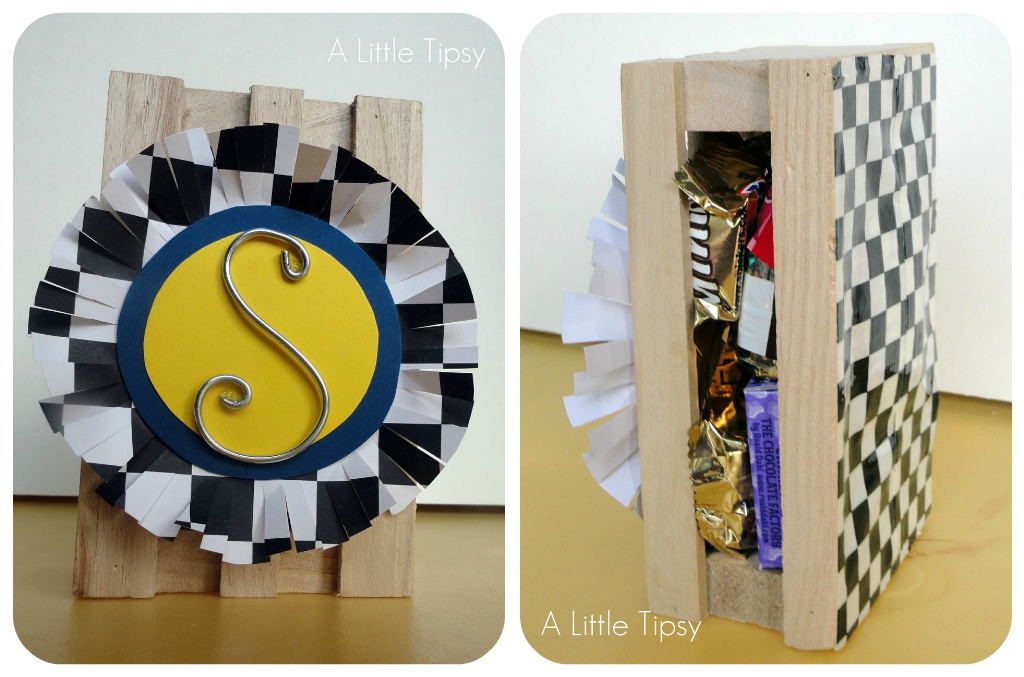
We did the sportsmanship slightly different. It get’s the paper badge, but then instead of a car on top, we filled the crate with the candy and closed it in with the checkered duck tape. Candy is a great motivator with boys this age.
Is anyone else involved with Cub Scouts? I’d love to share ideas!
P.S. Don’t forget to sign up for free Tipsy updates via RSS or email.
We have decided to truncate our feed to help protect against stolen content. I apologize for any inconvenience. Please love us anyway. 🙂